

 Loading...






Play Geometry Arrow online for free and jump into a fun platform adventure. In this game, you guide a small arrow through wave-style paths filled with spikes, walls, and moving blocks. Each level becomes increasingly harder, keeping the challenge exciting.
Geometry dash arrow game is simple to learn but tricky to master. With one button, you control the arrow as it flies up and down in a zigzag motion. Quick reflexes and good timing are essential for passing obstacles and reaching the end of each stage. The game has six levels, starting easy and ending with a tough demon stage.
Bright colors, catchy music, and fast action make geometry arrow' a perfect choice for kids who enjoy skill games. Try it now and see how far you can go!
What is Geometry Arrow
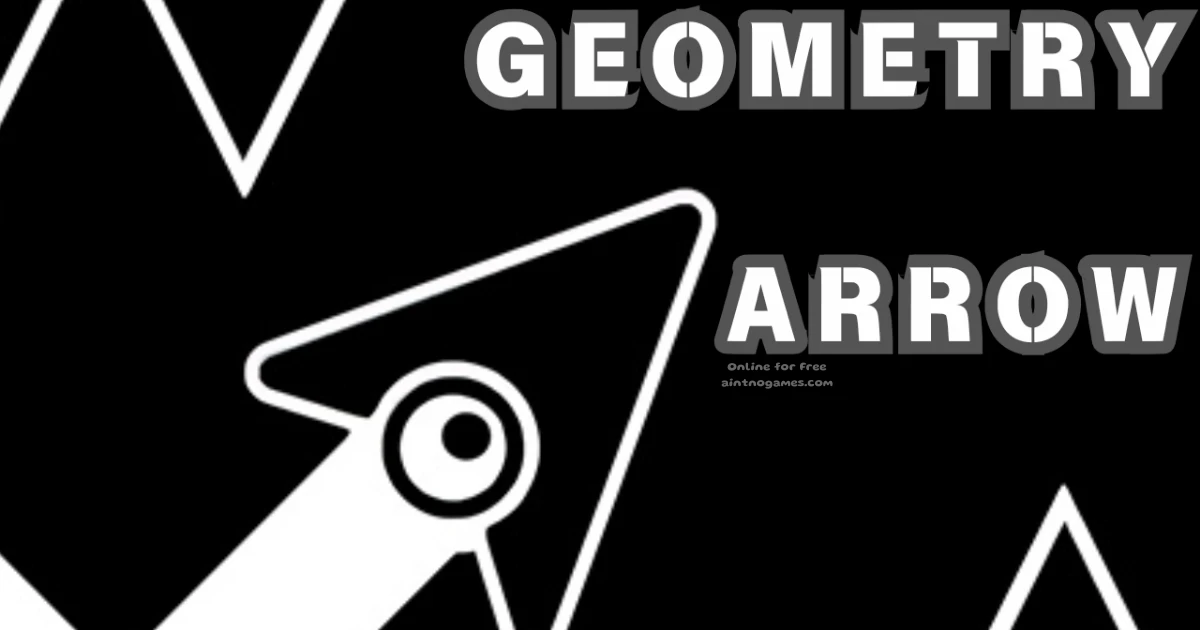
Geometry Arrow is a fast and fun platform game inspired by the popular Geometry Dash Lite series. Instead of jumping, you guide a flying arrow that moves in a wave pattern through colorful levels. The challenge is to avoid spikes, walls, and moving blocks while keeping your arrow safe.
The game was created by LeadtoChanges and released in May 2024. It quickly gained popularity among players who enjoy arcade action and rhythm challenges. With six levels that become progressively more challenging, Geometry Arrow is perfect for both new players and experienced fans. Bright graphics, smooth controls, and catchy music make it a favorite choice for kids who love exciting skill games.
Geometry Arrow Gameplay
geometry dash arrow is all about timing and focus. You control a small arrow that moves in a zigzag wave. Click or tap to make the arrow fly up, and release to let it dive down. The controls are simple, but the obstacles make the game challenging and fun.
The game has six levels, and each one is harder than the last. The first level is easy, with only a few spikes to avoid. Later, the arrow moves faster, and you must deal with walls, moving blocks, and very narrow paths. The final level, called demon difficulty, is made for expert players who want the toughest challenge.
Fast movement, bright colors, and catchy music make geometry arrow dash exciting to play. Winning feels great, and even if you lose, you will want to try again until you reach the end.
Platform
You can play Geometry Arrow in your web browser on any device. It works on desktop, laptop, tablet, and mobile. The game runs smoothly on Chrome, Firefox, Safari, and Edge. No download is required, so you can start playing instantly.
Developer Credits
Geometry Arrow was created by LeadtoChanges and released on May 13, 2024. The game works in web browsers on PC, tablet, and mobile. It is also available on iOS and Android. The developer made it with simple controls, bright colors, and fun challenges for players of all ages.
Geometry Arrow System Requirements
Geometry Dash Lite runs directly in your browser, so it does not need high specs. Any device with an internet connection, including PCs, laptops, tablets, and phones, can play it. Just use a modern browser like Chrome, Firefox, Safari, or Edge, and you are ready to go.
How Many Levels Are in Geometry Arrow?
The number of levels in Geometry Arrow depends on the version. The first Geometry Arrow by faraonovvit has 13 levels. You guide an arrow through caves and dodge obstacles. Geometry Arrow II has 6 levels and lets you play as an Arrow or a Wheel. Fans of the genre may also enjoy Geometry Dash, which has 26 main levels with geometry-themed challenges.
How to Play Geometry Arrow
Geometry dash arrow is easy to play. Press the play button to start, and the arrow moves forward on its own. Your job is to guide it through tunnels without hitting obstacles. Tap or click to fly past spikes, walls, and moving blocks.
Each level brings new challenges. The first levels are simple and teach you the basics. Later levels are faster and need quick reactions. Stay focused, watch the path, and try to reach the finish line without crashing.
Geometry Arrow Controls
The controls in geometry arrow game are simple. You only need one button to move the arrow. Here are the options:
- Mouse: Hold the left button to fly up. Release it to go down.
- Keyboard: Press and hold the spacebar to fly up. Release it to dive down.
- Touch: On mobile or tablet, tap and hold the screen to fly up. Lift your finger to go down.
The arrow always moves forward in a zigzag wave. Good timing is the key to finishing each level.
Geometry Arrow Tips
Follow these easy tips to do better in Geometry Dash Lite arrow:
- Learn the patterns: Each level has the same obstacles. Play a few times to remember them.
- Stay calm: The game gets faster, but focus will help you avoid crashes.
- Practice early levels: Use the first stages to improve your timing.
- Use short taps: Small clicks make it easier to pass narrow spaces.
- Look ahead: Watch the path to see spikes and blocks before you reach them.
Geometry Arrow Features
Arrow geometry includes many fun features that make it exciting to play:
- Six levels that get harder, from easy to demon mode.
- Zigzag wave movement inspired by Geometry Dash Lite.
- Bright geometric graphics with colorful designs.
- Catchy background music that adds to the action.
- Simple one-button controls for mouse, keyboard, and touch.
- Fast gameplay that tests reflexes and focus.
- Works on PC, mobile, and tablet with no download needed.
Wave-Based Adventure World
Step into a colorful geometric world where waves control every move. Instead of jumping like in normal platform games, your arrow hero glides smoothly through twisty tunnels. The path is full of fun obstacles, and each level brings fresh colors, cool designs, and exciting music.
The wave mode became popular in Geometry Dash and has inspired many creative fan levels. Kids enjoy the challenge of guiding the arrow, mastering the wave rhythm, and celebrating every victory. This special Geometry Arrow 1001 Games style makes gameplay fun, skillful, and full of adventure.
Precision Platforming Challenge
Step into a fast, fair, and fun adventure where every move counts. One quick click can decide whether to win or retry. This game is not about random button presses; it’s about timing, focus, and smart choices. As levels progress, obstacles get trickier, helping players build pattern recognition and quick reflexes.
This arcade-style challenge is perfect for kids and anyone who enjoys skill-based gameplay. The Geometry Arrow download versions maintain a consistent, balanced difficulty across platforms. Practice a little each day, striking a balance between speed and accuracy, and you’ll clear levels with confidence.
Geometric Tunnel Navigation
Get ready for a thrilling journey through narrow tunnels where every move matters. Guide your arrow hero carefully through tight paths, staying calm and in control under pressure. The close walls make each moment exciting, turning every second into a real test of skill.
Every tunnel offers new obstacle patterns that challenge different wave-control abilities. A single mistake can lead to a restart, but that’s part of the fun! This Geometry Arrow haha games style mixes playful moments with tough challenges, creating gameplay kids will love to play again and again.
Geometry Arrow Online
You can play Geometry Arrow online in your browser. No download is needed. The game works on Chrome, Firefox, Safari, and Edge. It runs on desktop, laptop, tablet, and mobile. Online play gives you instant access to all six levels without waiting.
Geometry Arrow for Free
Geometry Arrow is free to play online. There are no costs, no downloads, and no in-game purchases. You can play all six levels and enjoy every feature without paying. The game is available for kids and players everywhere. Open it in your browser and start playing now.
Geometry Arrow Github
Many players search for Geometry Arrow on GitHub to find downloads or ways to play at school or work. On our site, you do not need GitHub or code files. geometry arrow 1 games is ready to play online on any device. It runs in your browser with no setup or extra steps. At home, in class, or at work, you can enjoy the full game right away.
Geometry Arrow Download
You can download Geometry Arrow if you want to play offline. The game is on Android through Google Play and on iOS through the App Store. PC players can find it in the Microsoft Store. Android users without Google Play can use the APK version. Always download from trusted sources to keep your device safe.
- For iOS (iPhone or iPad): Go to the App Store and press the download button.
- For Android: Open the Google Play Store and tap the download button.
- For Microsoft Store: Open the microsoft store and tap the download button.
Geometry Arrow Extension
You can add geometry arrow game as a Chrome extension. This lets you open the game with one click instead of visiting the website. The extension works both online and offline. It includes all six levels, the same wave controls, and progress saving for quick access.
Can You Play Geometry Arrow Unblocked?
Yes, you can play geometry arrow unblocked on our site. It works at school, at work, and on networks with limits. The game loads without issues and requires no VPN or additional apps. Open it in your browser and enjoy all six levels anytime.
Geometry Arrow Unblocked 76
You do not need Geometry Arrow Unblocked 76 or other versions. On our site, the game already works everywhere. It runs on school and work networks with no problems. Play all six levels in your browser anytime.
Similar Games
If you enjoy Geometry Arrow, try these fun games too:
- Wave Road
- Geometry Dash
- Geometry Rash
- Geometry Dash Breeze
- Geometry Arrow 2
- Curve Rush
- Mini-games for Obby
- Race Survival Arena King
- Obby Pet: Epic Run
- Wood Block Away
- Parkour Escape: Obby Master
- Geometry Vibes
Geometry Arrow On aintnogames.com vs Other Platforms
Geometry Arrow On CrazyGames
CrazyGames has Geometry Arrow, but playing on aintnogames.com is faster and smoother. Here, the game begins immediately, with no lengthy loading times or intrusive ads. You can enjoy all six levels without interruptions and focus only on winning.
Geometry Arrow y8
Y8 also offers geometry arrows, but aintnogames.com gives you a better experience. The game loads faster, works better on mobile devices, and even runs smoothly on school or work networks. You can play every level at any time without pop-ups interrupting your focus.
Is Geometry Arrow Safe for Kids?
Yes, geometry arrow game is safe for kids. The game uses bright colors, simple controls, and has no violence. It helps children improve timing, focus, and hand-eye coordination while having fun. There are no scary images or harmful content, so parents can feel safe letting their kids play.
Information for Parents
Geometry Arrow is safe for children ages six and up. The game is non-violent and suitable for all ages. It helps kids build focus, timing, and quick reactions. Levels include natural breaks, which make screen time easy to manage. Our site does not collect data from children and does not display any unsafe ads. Parents can feel confident letting their kids play.
Why Play Geometry Arrow on aintnogames.com
Play geometry arrow' on aintnogames.com for the best experience. The game loads fast and runs smoothly on all devices. There are no ads to interrupt you, so you can focus on the levels.
The site is updated frequently to ensure every game functions properly. On PC, tablet, or mobile, aintnogames.com is the best place to enjoy geometri arrow at any time.
FAQs About Geometry Arrow
How many levels does arrow geometry have?
The game has six levels. It starts easy and ends with a demon stage for expert players.
Does Geometry Arrow help kids build skills?
Yes. It improves hand-eye coordination, quick reactions, and problem-solving in a fun way.
Can I play Geometry Arrow on a phone or tablet?
Yes. It works on mobile devices, tablets, laptops, and PCs in any modern browser.
Do I need to pay to play arrow geometry?
No. The game is free. All six levels are open with no costs or hidden fees.
What makes arrow geometry different?
You guide an arrow in a wave pattern through tunnels instead of jumping like in other games.
Does arrow geometry dash save progress?
Yes. Progress is saved in the browser so you can continue later.
What age group is arrow geometry for?
The game is safe for kids six and older, but older players can enjoy it too.
Do I need to install geometry dash arrows?
No. You can play directly in your browser without downloads or apps.
Can I play Geometry Arrow on Y8?
Some players search for Geometry Arrow on Y8, but you do not need it. The full game is now available to play for free on aintnogames.com, with no ads or downloads required.
Can I play Geometry Arrow on Mafa.com?
Some players look for Geometry Arrow on Mafa.com, but you do not need that site. The full game is already free on aintnogames.com, with no spam, no downloads, and no hidden costs.
Conclusion
Geometry Arrow is a fast and fun platform game with simple controls and exciting challenges. It has six levels that become progressively harder. This makes it great for kids and for anyone who enjoys skill games. The bright colors and catchy music make every run exciting.
You can play arrow geometry dash for free on aintnogames.com. It works on PC, tablet, and mobile with no downloads or hidden fees. The game is safe for kids and helps improve focus and timing while they play.
Start your adventure today. Play geometri arrow now on aintnogames.com and enjoy one of the best wave-style games online.